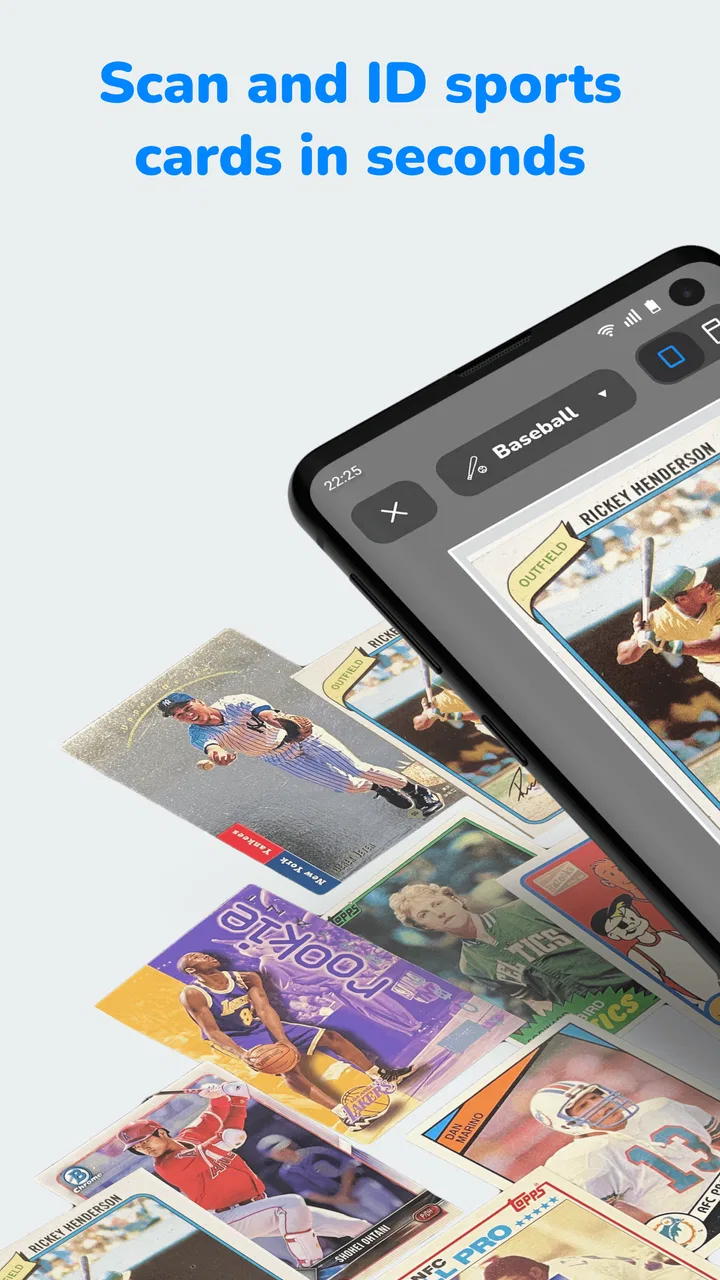
CollX: Sports Card Scanner
- 4.6
- Rating
- 1.00M
- Installs
- Free
- Price

 Analysis by App-foxy
Collecting sports cards is easy to enjoy and surprisingly difficult to organize. A box can hold cards from different sports, years, teams, conditions, and sets, while the market value of the same player can change depending on small details. CollX: Sports Card Scanner is designed to make that first step less tedious: identify a card with your phone, check its value, keep track of the collection, and connect with people who buy or sell cards.
I found the app most useful when I treated it as a starting point rather than an unquestionable pricing authority. It can speed up sorting and help turn an unstructured pile into something searchable, but a scan is not the same as a professional appraisal. The card still needs a careful look, especially when condition, parallel versions, autographs, or small set differences affect what a buyer may actually pay.
Getting past the first points of friction
The biggest hurdle is usually not understanding what the app is for. It is preparing a card that the camera can recognize clearly. A bent sleeve, glare from a protective holder, a busy background, or a card photographed at an angle can make the process feel less reliable than it should. Before blaming the app, I would place the card on a flat, plain surface and use even light. Reflections are particularly troublesome on glossy cards and on cards kept in rigid holders.
You May Also Like

 Blood Strike: 2.5 Anniversary
Blood Strike’s Loadouts Turn Every Drop Into a Tactical Gamble
A close look at Blood Strike’s custom loadouts: how fast access to signature weapons reshapes its battle royale rhythm, rewards preparation, and narrows the gap between fights.

 Pandora - Music & Podcasts
Pandora’s Music Is Easy to Start, but Harder to Recover
Pandora’s strength is its low-effort path from a seed to a station. Its weak spot is how much confidence it asks you to place in connection, setup, and quiet recovery.

 8 Ball Pool
 Is Built on Rivalries, Rematches, and Routine
A close look at the rivalries, rematches, shared routines, and unanswered safety questions that turn a quick pool match into a persistent mobile community.

 Samsung Music
’s Quiet Strength Is Playing What You Already Own
Its reach comes less from spectacle than from dependable access to a personal library. That simplicity is both the app’s strongest retention engine and its ceiling.

 AccuWeather: Weather Radar
AccuWeather Review: A Quick, Clear Forecast for Everyday Decisions
For everyday plans, the best forecast is the one you can understand quickly. AccuWeather makes rain timing, radar, and local conditions easy to act on, with a few trade-offs.

 Hill Climb Racing
Why Hill Climb Racing Still Turns Crashes Into One More Run
A tiny car, a bumpy hill and one more upgrade: Hill Climb Racing keeps resurfacing because its simple chaos makes every near-miss feel personal.
More From Our News Desk



It also helps to handle one card at a time when accuracy matters. Scanning through a rushed stack may be convenient, but it gives you less opportunity to notice whether the result matches the exact card in your hand. I check the player, team, year, and visible design before accepting a match. That extra pause is worthwhile because a visually similar base card and special version can have very different prices.
New users may also get stuck because they expect the camera to solve every identification question automatically. In practice, the scan should be treated as recognition assistance. If the result looks suspicious, I compare the displayed identity with the printed details on the card and try again under better lighting. A second attempt from a straighter angle is often more useful than repeatedly tapping the same control.
Another source of confusion is the difference between a card’s displayed market estimate and its eventual selling price. A value shown inside a collecting app can help with sorting, but it does not guarantee that someone will buy your copy for that amount. Condition, demand, timing, shipping, fees, and the trust a buyer places in the listing all matter. I use the estimate to decide which cards deserve closer attention, not to promise myself a return.
A setup routine that prevents avoidable mistakes
My preferred setup is simple. I clean the phone camera lens, remove anything that creates a reflection, and keep the card still while the image is captured. If the first scan produces an odd match, I do not immediately add it to the collection. I inspect the result and rescan. This is especially important for cards that share a player image or design with several releases.
Once a card is recognized, I review the entry before moving on. A collection tracker is only useful when its records are trustworthy. Saving an incorrect match can create problems later when you are trying to estimate the value of a group, prepare a sale, or remember which version you own. The few seconds spent checking an entry are much cheaper than correcting a large batch of mistakes.
Because the app is free to install, it is easy to test with a small group of cards before committing to a larger cataloging project. I recommend starting with cards whose identity is already familiar to you. That gives you a quick way to judge how well the scanner handles your lighting, sleeves, and camera habits. If those first results are sensible, continue with less familiar cards while keeping the same verification routine.
The app is available for users on Android devices running version 7.0 or later, and its age rating is Everyone. That broad compatibility makes it approachable for families and casual collectors, although the actual experience can still vary with camera quality, lighting, and device performance. A phone that struggles with focus or has a scratched lens may produce more friction than the app itself.
CollX is developed by CollX, and its current version is 3.4.2. I would keep the app updated when an update is available through the relevant store, particularly if scanning behavior or account-related screens seem inconsistent. Updates do not remove the need to verify cards, but staying current is a sensible first check when an app behaves differently from expected.
Recovering when a scan or record goes wrong
When a scan fails, I use a short recovery sequence instead of changing several things at once. First, I reposition the card and reduce glare. Next, I check that the camera view is not blocked and try again with the card filling enough of the frame to show its details without being cropped. If the result is still wrong, I search for the card manually if that option is available in the current workflow, then compare the selected entry with the physical card.
This approach matters because a failed scan and a wrong scan are different problems. A failed scan tells you that the image was not recognized. A wrong scan can quietly damage your collection records if you accept it without checking. I am more cautious with a confident-looking but incorrect match than with an obvious failure, since the latter is easier to notice and repair.
If the app appears frozen during a scan, I avoid repeatedly pressing buttons. I wait briefly, return to the previous screen if possible, and reopen the scanning step. If the problem continues, I close and relaunch the app, then test with one card rather than an entire batch. This general troubleshooting sequence helps separate a temporary session problem from an issue caused by the card’s appearance.
For collection maintenance, I recommend making corrections as soon as you notice them. Delaying a correction until hundreds of cards have been entered makes it harder to remember which records were uncertain. I also keep particularly valuable or unusual cards in a separate mental category: they deserve a closer identity check and a condition review, even if the app recognizes them immediately.
The tracking side becomes more useful when you decide what you want the collection to do for you. If your goal is insurance or a serious valuation, you need careful records and supporting details beyond a quick scan. If your goal is simply knowing what you own, the app can be much more convenient than a spreadsheet. I would not force every card into the same level of detail; ordinary duplicates can be processed quickly, while rare-looking cards deserve slower handling.
Using the marketplace without confusing convenience with certainty
The option to buy and sell with other users gives the app a purpose beyond identification. I see the marketplace as most helpful when you already know what you want to move and can describe the card honestly. A clean scan may identify the item, but a buyer still needs confidence about condition, authenticity, edition, and what is physically included in the transaction.
Before listing anything, I would inspect corners, edges, surface, centering, and any visible marks under good light. A scanner can help you name the card, but it cannot replace a human description of the copy you possess. If the card is in a sleeve or holder, make sure your photos and description do not hide flaws unintentionally. Clear expectations reduce disagreements more effectively than an optimistic price.
The same caution applies when buying. I would compare the listing details with the recognized card information and ask myself whether the condition description is specific enough. A price that looks attractive may reflect a damaged copy, an incomplete description, or a version that is not the one I expected. The app can make discovery faster, but normal marketplace judgment is still required.
In-app purchases range from $6.99 to $99.99 per item. Since the app can be installed for free, I would begin with the free experience and decide whether any paid option genuinely improves the way I scan, organize, or trade. The important question is not whether an optional purchase exists, but whether it solves a problem you actually have. A casual collector with a small box may not need to spend anything.
When the problem is really the card, phone, or expectation
Not every frustrating result points to a software defect. Some cards are inherently difficult to identify because the printed information is small, the design is shared across releases, or the surface reflects light. A phone with weak focus can make a perfectly recognizable card look unreadable. If ordinary cards scan well but glossy or unusual cards do not, the limitation may be the image conditions rather than the entire app.
Network conditions can also affect an app that depends on information beyond the camera image. If a screen takes a long time to load, I check whether other apps are connecting normally and try again later instead of repeatedly submitting the same action. I would also confirm that the selected card actually saved before leaving the screen. A missing record can sometimes be a save or connection issue, not a scanning issue.
Expectations are another important part of troubleshooting. CollX is not the best replacement for a professional grading service, a specialist dealer, or a carefully maintained financial inventory. It is a practical tool for recognition, tracking, and marketplace discovery. Someone building a high-value collection may prefer a slower process with more documentation, while someone sorting inherited cards may value speed and broad organization more than perfect precision.
Compared with a spreadsheet, the app removes much of the manual typing involved in identifying cards and gives the collection a more direct connection to buying and selling. A spreadsheet still wins when you want total control over custom fields, offline organization, or a very specific accounting system. Compared with searching every card manually on marketplace sites, CollX is less exhausting during the first pass, though manual research remains valuable for unusual cards and final price decisions.
It also occupies a middle ground between a simple camera lookup and a specialist collector’s workflow. The camera makes the entry process approachable, while the tracking and marketplace elements encourage you to do more with the results. The trade-off is that convenience can tempt users to trust the first match or displayed estimate too quickly. I get the best results when I use the app to narrow the work, then apply my own judgment to the cards that matter most.
Who will get the most from it
I would recommend CollX to someone who has accumulated sports cards and wants a faster way to identify and organize them. It is also a good fit for a beginner who does not yet know every set, player, or variation in a collection. The app can turn a confusing pile into a more manageable project, especially when you process the cards in small sessions rather than trying to catalog everything in one sitting.
A realistic use case is clearing out a family storage box before deciding what to keep, donate, or sell. I would scan the ordinary cards first, separate duplicates, and create a shortlist of cards that deserve closer inspection. Then I would revisit that shortlist for condition and version details before considering a listing. This workflow saves time without pretending that every scan is a final valuation.
It can also help an active collector maintain awareness of a growing collection. After a card show or a trade, recording new cards while they are still organized prevents the familiar problem of forgetting what was acquired. The marketplace can then be used selectively for duplicates or cards that no longer fit the collection, rather than treating every recognized card as an immediate sale.
I would be less enthusiastic about it for someone who wants guaranteed professional valuations, formal grading, or a fully customizable inventory system. It may also frustrate collectors who handle many rare variations and are unwilling to verify every result. For those users, a specialist database, a spreadsheet with detailed fields, or direct advice from an experienced dealer may be a better primary tool, with CollX used only for quick identification.
My practical verdict after using its strengths carefully
CollX succeeds because it addresses the tedious part of card collecting: figuring out what is in front of you and keeping track of it afterward. Its free entry point, broad age rating, and focus on scanning, pricing, tracking, and transactions make it accessible to both newcomers and casual sellers. The app has earned a 4.6 average from around 15 thousand ratings, and it has passed a million installs, which fits the impression of a tool many collectors find useful for everyday organization.
My recommendation comes with one rule: use the scan as a shortcut, not as the final word. Check the identity, inspect the physical card, and treat any displayed value as guidance for further research. That habit prevents most of the disappointment that comes from confusing recognition with appraisal.
If you want to catalog a mixed sports-card collection, find likely candidates for closer research, or explore buying and selling without starting from a blank spreadsheet, I think this app is worth trying. Begin with a small batch, improve the lighting and camera angle before troubleshooting more deeply, and correct uncertain entries immediately. If your needs are centered on formal grading, detailed financial records, or specialist-level variant research, choose a more specialized system instead.
FAQs for CollX: Sports Card Scanner
01What is CollX: Sports Card Scanner used for?
CollX: Sports Card Scanner is an app designed to help sports card collectors easily identify and value their cards. By scanning a card with your phone, the app provides detailed information and market value, helping users organize and manage their collections efficiently.
02How accurate is the card scanning feature in CollX?
The card scanning feature in CollX is highly accurate, using advanced image recognition technology to identify cards quickly. However, accuracy may vary depending on the card's condition and lighting. For best results, ensure the card is clean and well-lit when scanning.
03Does CollX offer features for managing my card collection?
Yes, CollX offers a robust collection management system. Users can catalog their cards, track prices, and monitor their collection's value over time. The app also allows for easy sharing and trading with other collectors, making it a comprehensive tool for enthusiasts.
04Is CollX free to use, or are there any in-app purchases?
CollX is free to download and use, offering essential features at no cost. However, it also offers premium features through in-app purchases, such as advanced valuation tools and additional card storage options, to enhance the user experience for serious collectors.
05Can I use CollX offline, or does it require an internet connection?
CollX requires an internet connection to access its full range of features, including real-time market data and card recognition. While you can view your saved collection offline, features like card valuation and updates require connectivity to ensure accurate pricing and information.
Pros
- Accurate card recognition and details.
- Fast scanning with minimal errors.
- User-friendly interface for beginners.
- Regular updates enhance functionality.
- Extensive database of sports cards.
Cons
- Occasional difficulty with rare cards.
- Requires stable internet for full features.
- Limited offline functionality.
- Some ads in the free version.
- Subscription needed for premium features.

CollX: Sports Card Scanner
Gallery